Core services
- Promotional and alert SMS campaigns.
- OTP verification for websites and applications.
- Additional channels via Telegram and email.
- Real‑time dashboard to monitor balance and message usage.
SMIRQ is a messaging and verification platform that helps you send promotional SMS campaigns, service notifications, and one-time passwords (OTP) to your customers in a reliable and scalable way.
SMIRQ is developed and operated as a project under Information Manager Iraq. It is designed to be an end-to-end solution for merchants, online stores, and applications that need a central channel for sending messages and communicating with customers. The platform allows you to manage your account, balance, and packages in one place, and to integrate your backend systems with messaging services through secure APIs.
SMIRQ primarily targets the following types of organizations:
SMIRQ
SMIRQ is committed to maintaining a secure, compliant, and trustworthy platform for all users. The Account Verification process is designed to ensure authenticity, prevent misuse, and protect both individual and institutional users.
By submitting a verification request, users agree to provide accurate and lawful information.
To request account verification:
All requests are subject to administrative approval.
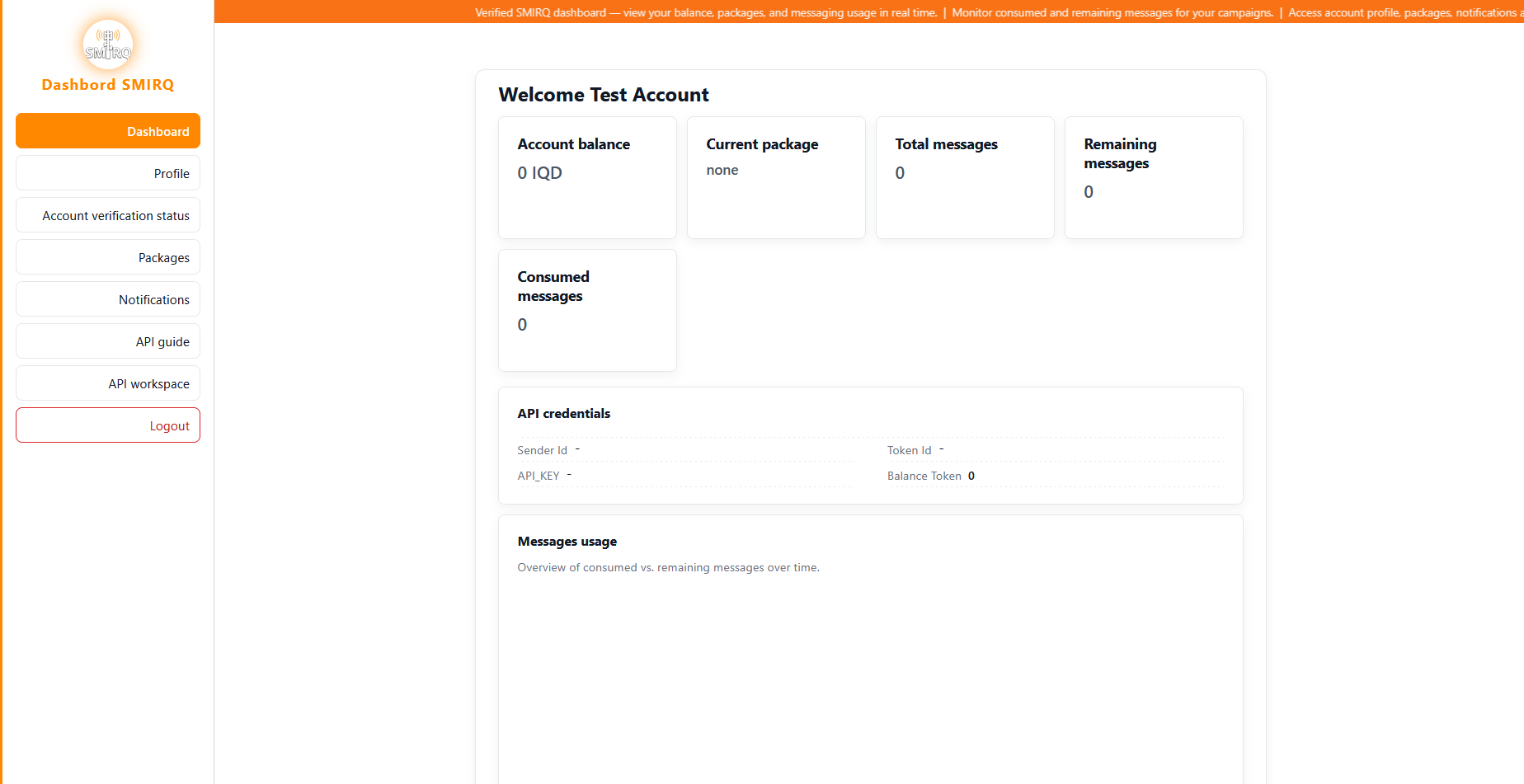
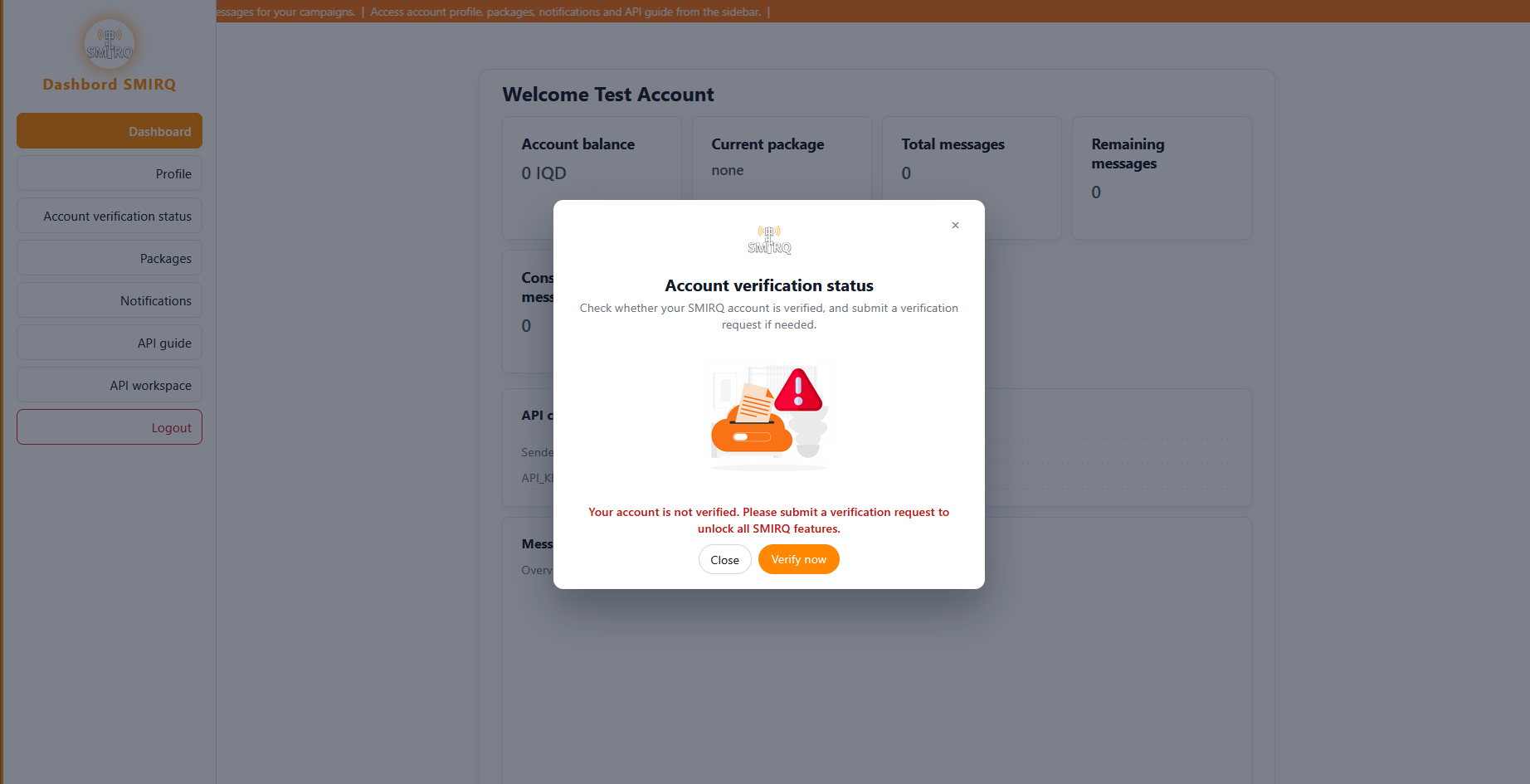
All applicants must complete the verification form accurately, including:
Providing false or misleading information may result in rejection or account suspension.
No additional documents are required. Verification is based solely on the information provided in the form.
Users must ensure that:
Applicants must provide the following Institution Details:
All information must reflect the institution’s official records. SMIRQ reserves the right to request supporting documentation if necessary.
Applicants must provide the following Government Entity Details:
Use of an official government email address is strongly recommended. Additional authorization documents may be requested during review.
All verification requests undergo manual review.
Processing times may vary depending on request volume.
Verified accounts gain full access to platform features, including:
SMIRQ reserves the right to:
Submission of a verification request constitutes acknowledgment and acceptance of this policy.
Sign up for a new account on the SMIRQ website, verify your email address, and complete the basic profile information.
From your account page in the dashboard, submit an account verification request to unlock the verified dashboard and the API workspace.
Select a package based on your expected traffic (number of messages or OTPs). The package defines the total number of messages and the overall price.
In the dashboard you will find your Sender ID, API Key, and Token ID. These values are required to authenticate your backend when sending messages or OTP codes through SMIRQ.
SMIRQ provides HTTP-based APIs for sending SMS messages and OTP codes. Requests are secured using your account credentials and API tokens. The following is a high-level overview of the typical integration flow.
For detailed specifications of API endpoints and request examples, please refer to the dedicated SMIRQ API guide provided with your account or contact the SMIRQ support team.
The snippets below show simple examples of how to send an HTTP request to a SMIRQ-style API from different programming languages. These examples are for demonstration only and must be adapted to your real API base URL and credentials.
// Simple example of sending an SMS request using Node.js (fetch)
const fetch = require('node-fetch');

async function sendSms() {
  const url = 'https://api.smirq.com/v1/sms/send'; // مثال توضيحي

  const payload = {
    apiKey: 'YOUR_API_KEY',
    tokenId: 'YOUR_TOKEN_ID',
    senderId: 'YOUR_SENDER_ID',
    to: '+9647XXXXXXXX',
    body: 'Welcome from SMIRQ platform!',
  };

  const res = await fetch(url, {
    method: 'POST',
    headers: { 'Content-Type': 'application/json' },
    body: JSON.stringify(payload),
  });

  const data = await res.json();
  console.log('SMIRQ response:', data);
}

sendSms().catch(console.error);
<?php
// Simple example using PHP and cURL to send SMS via SMIRQ (demo only)

$url = 'https://api.smirq.com/v1/sms/send';

$payload = [
  'apiKey'   => 'YOUR_API_KEY',
  'tokenId'  => 'YOUR_TOKEN_ID',
  'senderId' => 'YOUR_SENDER_ID',
  'to'       => '+9647XXXXXXXX',
  'body'     => 'Welcome from SMIRQ platform!',
];

$ch = curl_init($url);
curl_setopt($ch, CURLOPT_POST, true);
curl_setopt($ch, CURLOPT_HTTPHEADER, ['Content-Type: application/json']);
curl_setopt($ch, CURLOPT_POSTFIELDS, json_encode($payload));
curl_setopt($ch, CURLOPT_RETURNTRANSFER, true);

$response = curl_exec($ch);
curl_close($ch);

echo 'SMIRQ response: ' . $response;
?
# Simple example using Python and the requests library to send SMS (demo only)
import requests
url = 'https://api.smirq.com/v1/sms/send'
payload = {
'apiKey': 'YOUR_API_KEY',
'tokenId': 'YOUR_TOKEN_ID',
'senderId': 'YOUR_SENDER_ID',
'to': '+9647XXXXXXXX',
'body': 'Welcome from SMIRQ platform!',
}
response = requests.post(url, json=payload)
print('SMIRQ response:', response.status_code, response.text)
// Simple example using C# and HttpClient to send SMS (demo only)
using System;
using System.Net.Http;
using System.Text;
using System.Threading.Tasks;

class Program
{
    static async Task Main()
    {
        var url = "https://api.smirq.com/v1/sms/send"; // مثال توضيحي

        var json = "{""apiKey"":""YOUR_API_KEY"",""tokenId"":""YOUR_TOKEN_ID"",""senderId"":""YOUR_SENDER_ID"",""to"":""+9647XXXXXXXX"",""body"":""Welcome from SMIRQ platform!""}";

        using var client = new HttpClient();
        var content = new StringContent(json, Encoding.UTF8, "application/json");
        var response = await client.PostAsync(url, content);

        var body = await response.Content.ReadAsStringAsync();
        Console.WriteLine($"SMIRQ response: {response.StatusCode} {body}");
    }
}
Note: the URL https://api.smirq.com/v1/sms/send used in the
examples above is only a placeholder and not a real production
endpoint. You must use the correct API base URL that is provided
with your SMIRQ account or by the support team.
SMIRQ relies on secure electronic payment channels for purchasing packages and topping up your balance. In the current version, the main payment method is ZainCash within Iraq.
When you submit a service request (such as an OTP form or SMS request form), a unique order number is created and associated with the total cost. You can then click the ZainCash payment button to be redirected to the official ZainCash payment gateway and safely complete the payment using your wallet.
All amounts paid via ZainCash are refundable if you do not receive the service or if the request is not fulfilled according to the agreement with the SMIRQ platform.
SMIRQ offers a set of packages to cover promotional and OTP messaging needs across different channels (SMS, SMS with Sender ID, email, and Telegram). The prices and values below are example figures that you can adjust according to the actual pricing you agree on with the sales team. The minimum number of messages for promotional packages is 25,000 messages.
To apply for any SMIRQ package you must first create an account on the platform using the official signup page. After creating your account and logging in, you can fill out the relevant request forms and choose the package that best suits your needs.
To request this package, fill out the SMS service request form inside the SMIRQ dashboard and coordinate with the sales team to confirm the final price and payment method.
You can choose this package when filling out the SMS request form in the dashboard by selecting the "SMS" channel without Sender ID. The SMIRQ team will contact you to activate the package after payment is completed.
To use the email or Telegram channels, you can fill out the relevant request forms in the dashboard and choose the appropriate channel (Email or Telegram). Pricing details will be coordinated with the sales team based on the size of your campaign.
At present, balance top-up and package purchases are handled via the ZainCash wallet. After choosing a package or submitting a request form (OTP or SMS), you can click the ZainCash payment button and complete the payment using your wallet. Your balance or package is then updated based on the payment details received by the SMIRQ team.
Currently SMIRQ does not provide a separate sandbox environment or public test credentials. We recommend integrating directly with the live environment while sending a limited number of test messages at first and carefully reviewing your configuration before scaling up.
SMIRQ currently supports SMS, SMS with Sender ID, Telegram, and email. OTP codes can be delivered over SMS, Telegram, or email depending on your configuration.
You can reach the SMIRQ support team directly via email at info@msirq.com. You may also use the contact options shown in the dashboard footer, such as WhatsApp customer service or official social media accounts.
Minor delays may occur due to network congestion at mobile operators or because your campaign contains a very large number of messages. In most cases messages are delivered within seconds to a few minutes. If the issue persists, please contact support so they can review delivery logs and the status of your routes.
The number of parts depends on the message length and encoding. Messages containing non‑Latin characters (such as Arabic) or special symbols may be split into multiple segments by the SMS network, which consumes more credits. It is recommended to keep messages as short as possible and avoid unnecessary symbols.
You can track message status through the SMIRQ dashboard or via the logs exposed by your backend if you are using the APIs. We recommend logging request IDs in your application so that each message can be matched with its corresponding record when contacting support.